
Expense Spreadsheet
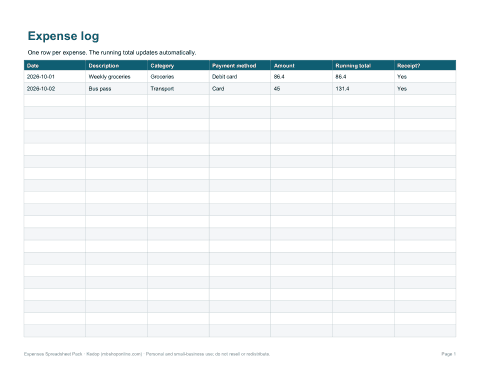
An expenses spreadsheet shows exactly where money goes. This pack includes ready-to-use Excel workbooks for the most common needs: a daily expense log, a budget-versus-actual sheet, a 12-month summary, an employee expense report for reimbursement and a mileage log — each with formulas already in place, so you only type the amounts.
- Instant download
- Editable Excel & Word
- Print-ready PDF
- 7-day refund
6 files · XLSX, PDF, DOCX
Expenses Spreadsheet Pack
Excel expense log, budget-vs-actual sheet, 12-month expense summary, employee expense report, mileage log and a monthly receipts checklist, all with built-in formulas.
- Expense log (XLSX)
- Budget vs actual (XLSX)
- 12-month summary (XLSX)
- + 3 more
$7.00 USD, one-time 6 files · about $1.17 each
- Instant download
- 7-day refund
- Secure checkout by Stripe
7-day money-back guarantee. Full refund within 7 days of purchase, even after you download.
Free sample: Expense Log (PDF, 69 KB)
Expenses Spreadsheet Pack
Excel expense log, budget-vs-actual sheet, 12-month expense summary, employee expense report, mileage log and a monthly receipts checklist, all with built-in formulas.
- Expense log (XLSX)
- Budget vs actual (XLSX)
- 12-month summary (XLSX)
- Expense report (XLSX/PDF)
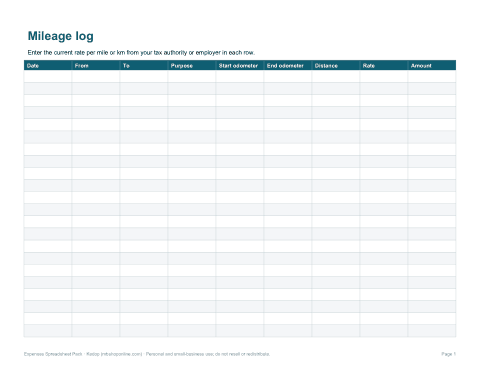
- Mileage log (XLSX)
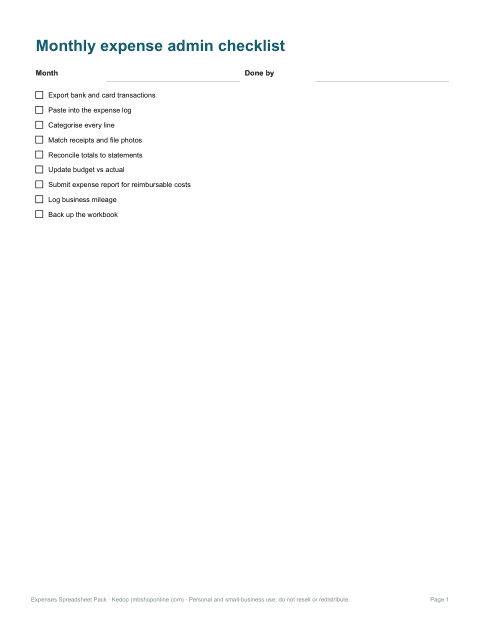
- Receipts checklist (PDF/DOCX)
Formats: XLSX, PDF, DOCX. Instant download after payment (link valid 72 hours, up to 5 downloads). AI-assisted: the templates were drafted with AI help and reviewed and laid out before publishing.
$7.00 USD, one-time 6 files · about $1.17 each
- Instant download
- 7-day refund
- Secure checkout by Stripe
7-day money-back guarantee. Full refund within 7 days of purchase, even after you download.
Free sample: Expense Log (PDF, 69 KB)
Full refund within 7 days — see the refund policy and license.
Free printables
Single sheets you can print right now, no sign-up. The full pack adds every sheet in one download plus the editable files.
 Printable Expense Log Sheet
 Budget vs Actual Expense Sheet
 12-Month Expense Summary Sheet
 Employee Expense Report Form
 Printable Mileage Log Sheet
 Printable Monthly Expense Checklist
Spreadsheets in the pack
| Workbook | Use it for | Calculates |
|---|---|---|
| Expense log | Every purchase: date, description, category, amount | Running total |
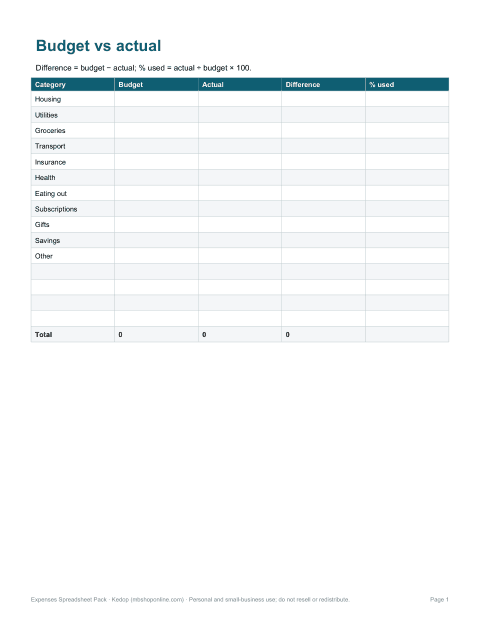
| Budget vs actual | Monthly plan by category | Difference and % of budget used |
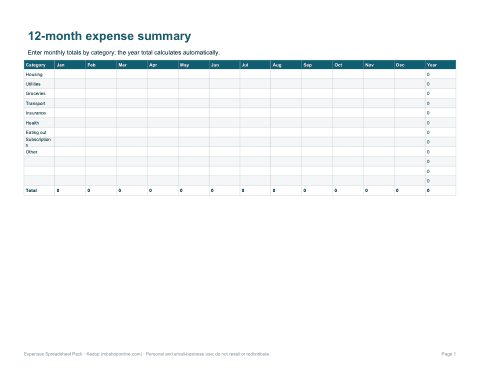
| 12-month summary | Totals by category and month | Row and column totals |
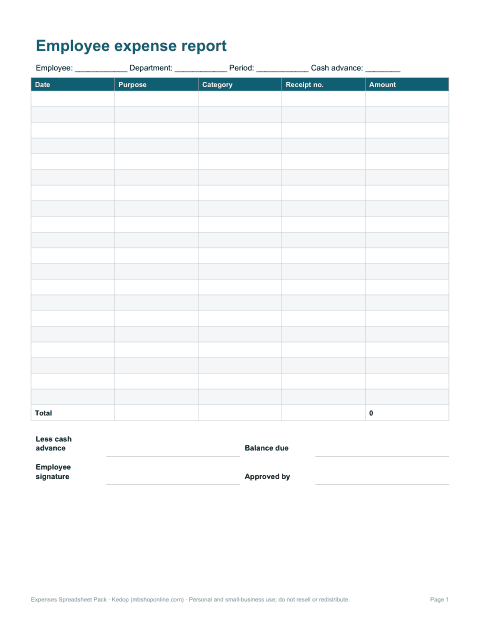
| Employee expense report | Claims for reimbursement | Total claimed, advances and balance due |
| Mileage log | Business driving | Miles × rate |
| Receipt checklist | Monthly admin | — |
Choosing expense categories
Use categories that match how you want to make decisions. For a household, that is usually housing, utilities, groceries, transport, insurance, health, childcare, eating out, subscriptions, gifts and savings. For a freelancer or small business, align the categories with your tax return or accountant’s chart of accounts — for example advertising, software, equipment, travel, meals, professional fees, office costs and bank fees — so year-end is a matter of copying totals.
How to keep an expense spreadsheet going
- Pick a regular time — daily for five minutes or weekly for twenty.
- Export your bank and card transactions as CSV and paste them in, rather than typing each one.
- Assign each line a category from the drop-down list.
- Photograph receipts and name them by date and amount.
- At month end, check totals against your bank statements.
- Review the budget-vs-actual sheet and adjust next month’s plan.
Budget versus actual
The budget sheet compares what you planned with what you spent. Difference = budget − actual, so a positive number means you came in under budget. The “% used” column divides actual by budget; anything over 100% is highlighted as an overspend. Looking at the categories with the biggest overspends each month is usually the fastest way to find savings.
Worked example
| Category | Budget | Actual | Difference | % used |
|---|---|---|---|---|
| Groceries | 600 | 648 | −48 | 108% |
| Transport | 250 | 212 | 38 | 85% |
| Eating out | 150 | 203 | −53 | 135% |
| Utilities | 220 | 219 | 1 | 100% |
| Total | 1,220 | 1,282 | −62 | 105% |
Here the household overspent by 62 in total, almost entirely on eating out and groceries — a clearer picture than the bank balance alone gives.
Employee expense reports
- List each expense with date, purpose, category and amount.
- Attach receipts — most policies require them above a set amount.
- Subtract any cash advance already received to show the balance due.
- Have the employee and an approver sign and date the report.
- Follow your company’s policy and local tax rules on what is reimbursable.
Mileage logs
If you drive for work, a log with the date, start and end locations, purpose and miles is usually required to claim mileage. The log multiplies miles by the rate you enter. Official mileage rates change, often yearly, and differ between countries, so enter the current rate from your tax authority or employer.
Fixed, variable and irregular expenses
It helps to split spending into three kinds. Fixed expenses, such as rent and insurance, are the same each month. Variable expenses, such as groceries and fuel, change month to month but can be budgeted. Irregular expenses — car repairs, annual subscriptions, holidays and gifts — are the ones that most often break a budget. The 12-month summary makes them visible, so you can set aside a monthly amount for them.
Excel and Google Sheets
Every workbook opens in Microsoft Excel, Google Sheets, LibreOffice and Apple Numbers. The formulas use only standard functions, and the sheets print cleanly on US Letter or A4.
AI-assisted content
Templates were drafted with AI assistance and reviewed before publishing. They are organisational tools, not tax or accounting advice.
Frequently asked questions
What should an expense spreadsheet include?
Date, description, category, payment method and amount, with totals by category.
Does it work in Google Sheets?
Yes, all workbooks open in Google Sheets.
What categories should I use?
Ones that match your budget or tax return; the pack includes suggested lists.
Is there an employee expense report?
Yes, with advances and balance due.
Can I track mileage?
Yes, the mileage log multiplies miles by the rate you enter.
How often should I update my expenses?
Weekly is enough for most people; daily if you pay mostly in cash.
Is this a subscription?
No, it is a one-time download.